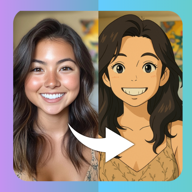
 PicToon
Turn a photo into a video
Give the AI one still photo and it animates the person in it — a dance routine, a red carpet walk with flashing cameras, a nightclub entrance, a slow transformation from your age to eighty.
The result is a short clip with real motion, not a pan across a still. Sound and movement make these the styles people actually send to each other, and the ones that perform best on Reels and TikTok.
Free to download · 3-day free trial · iPhone, iOS 15.0+
Baby Dance
Viral Dance
Skater Dog
All 9 video effects styles
Baby Dance, Viral Dance, Skater Dog, Living Photo, Roller Baby, Nightclub, Aging Timelapse, Muscle Up, Red Carpet Walk. Hover or tap a result to see the photo it started from.
Video Effects — questions
How long are the videos?
A few seconds each — the right length for a story, a Reel or a message.
What photo works best for video?
A full-body or waist-up photo with the whole subject visible and a simple background. The more of the body the AI can see, the more natural the motion.
Do videos cost more than images?
Video generation is heavier than image generation, so it uses more of your allowance. The exact cost is shown in the app before you generate.
Other style categories
Video Effects styles are in the app right now
Free to download, with free generations to try before you subscribe.